
Image Compression · Photo Compression — One-click Compression, Lossless High-Quality Compression
Free image compression tool, supports multiple formats including JPG/PNG/HEIC/WebP. Adjust and compress to 200K / 100KB / 10K with one click, perfect for ID photos, application photos and web images.
- ✓ Intelligent visual algorithm — 30% smaller than traditional compression with almost no visible difference
- ✓ Batch compress 100 images in just 30 seconds
- ✓ Completely free, no watermarks, no registration required
Over 5 million users every month. Download the Android APP for full features.
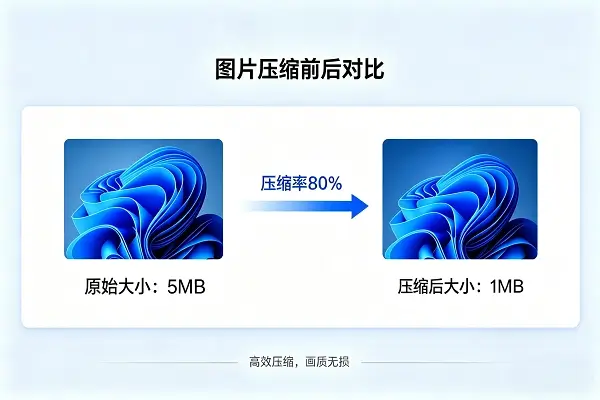
Image Compression — Web Images / Mobile Photos / WeChat Chat Images
Designed for general image scenarios, solving upload size limit issues
Compress Image Under 200K
One-click compliance with common 200K limits for email attachments, cloud disk uploads and form systems.
Compress Image Under 100KB
Select the preset "Under 100KB", auto compress and prompt if further size reduction is needed.
Compress Image Under 2M
Lossless compression mode within 2M, fully preserve image quality, ideal for printing.
Online Image Compression
No installation required, use directly on web. Features are currently under development, stay tuned.
Image Compression APP
Need batch processing and original image export? Download the full version APP.
100% Free Tool
Unlimited daily usage, no watermarks.
Photo Compression — Specialized for ID Photos & Application Photos
Optimized for Chinese mainland exam applications, KB error ≤ 1KB
How to Compress Photo to 10K
Choose the preset "Under 10K". The tool automatically adjusts resolution and quality, suitable for avatar and signature photos.
Compress Photo Under 30K
Maintain clear facial features under standard 295×413 ID photo size, fully compatible with exam system recognition.
Free Compress Photo Under 100K
Common specification for accounting, banking and postgraduate exams. Completely free with unlimited usage.
Free Compress Photo Under 200K
Accepted by most enterprise onboarding, social security and government service systems.
Free JPG Photo Compression
Auto output JPG format, compatible with all official application systems.
Free Photo Resize Software
Support custom target KB value. Intelligent algorithm for precise size compliance, optimized for Chinese exam application scenarios.
Complete Compression in 3 Steps
① Select Images / Photos
Support single or batch upload, process up to 100 images at once.
② Choose Target Size
Presets: 200K / 100KB / 50K / 10K / 30K, or customize KB value and resolution.
③ Download Compressed Files
Auto download after compression with almost invisible quality loss.
Frequently Asked Questions
— Image Compression Related —
How to use image compression?
1. Open the tool page; 2. Upload images; 3. Select target size; 4. Click compress; 5. Download results. The whole process takes less than 30 seconds.
Which free image compression tool is the best?
Photo Recovery Guardian offers completely free web version (coming soon) and APP version, supporting batch processing and precise KB control with no watermarks or ads.
Will image compression reduce quality?
Intelligent algorithm ensures almost no visible difference in most scenarios. Extreme compression (high-resolution images under 100KB) will have visible loss, which can be adjusted manually.
Does it support Apple HEIC format?
Yes. Compress and auto convert to JPG for easy sharing and uploading.
— Photo Compression Related —
How to compress photos?
Open the tool → Upload photos → Select preset specification (10K/30K/100K/200K) or customize → Click compress → Download. Complete in 20 seconds.
Is the free photo compression version good?
This tool is 100% free, serving over 2 million users for civil service, postgraduate and driving exams with leading accuracy and recognition rate.
How much quality remains after compressing photo under 200K?
Over 95% quality preserved for standard ID photo size with no visible loss.
Can photos stay clear under 30K compression?
Yes. Under standard 295×413 ID photo size, 30K keeps facial features clear and meets exam system recognition standards.
Is this official free compression website?
Officially provided by Photo Recovery Guardian. No ads, no watermarks, no image collection. Original images are destroyed immediately on the server after use.